
What Are Platinum Keywords on Amazon? (And Do They Still Matter in 2026?)
You’re editing a listing in Seller Central, you click over to the Keywords tab, and there it is: a field called Platinum Keywords. With a name like that, you’d assume it’s important. Maybe even a bit of an insider secret.
It isn’t. This field comes up in almost every account audit we run, so here’s the short answer first, and then everything else you actually need to know.
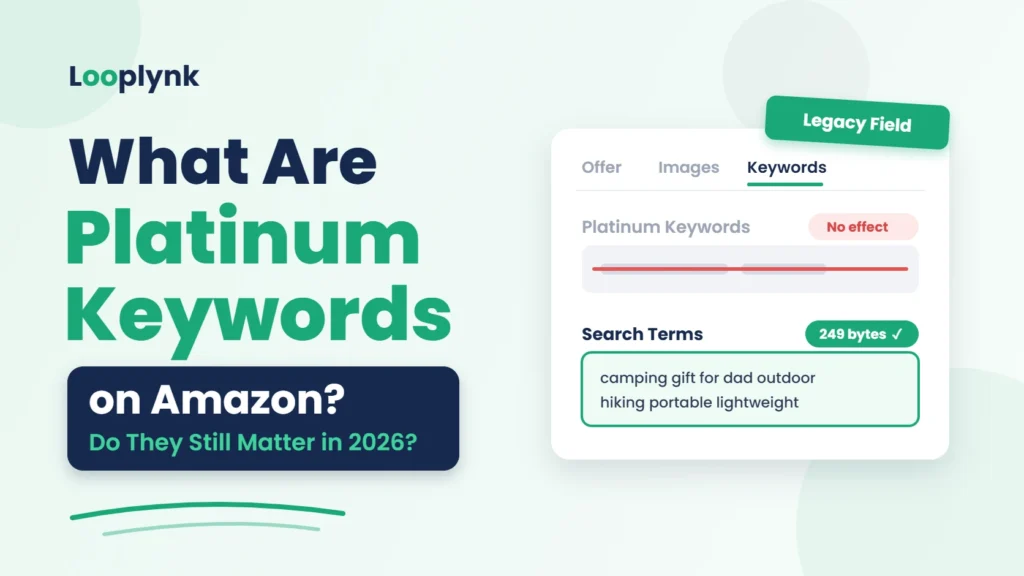
Quick answer: Platinum Keywords are an old backend field left over from Amazon’s Platinum Merchant program. That program was invite-only, and the field helped those sellers organize products inside their custom storefronts. Amazon shut the program down years ago, and the field does nothing for search ranking or indexing today. Your time is better spent on the Search Terms field (also called generic keywords), which allows up to 249 bytes in the US.
What Are Platinum Keywords on Amazon?
In Amazon’s earlier years, a small group of high-volume sellers were invited into something called the Platinum Merchant program. They got custom storefronts, and Platinum Keywords were how they sorted products into the right categories and pages inside those stores.
Here’s the part most people miss: it was a navigation tool, not a search tool. Even back when the program was running, this field wasn’t built to help shoppers find your product in Amazon search. It just kept the storefront organized.
Where to find the field
- In Seller Central, go to Inventory → Manage All Inventory.
- Click Edit next to any listing.
- Open the Keywords tab. Amazon drops you on the Offer tab by default, so you’ll need to switch.
- Scroll down. You might see Platinum Keywords sitting near Search Terms, Target Audience, and Subject Matter. In some categories and listing forms, it won’t show up at all.
So why is it still there?
Amazon ended the program but never fully cleaned up after it. The field stuck around in some Seller Central forms and flat-file templates, which is exactly why so many sellers still search “what are platinum keywords” every month. If you wondered about it too, you’re in good company.
Platinum Keywords vs. Backend Search Terms vs. Other Keyword Fields
The Keywords tab has a handful of fields, and they’re easy to mix up. Only one of them, Search Terms, directly widens the range of searches your product can show up for.
| Field | What it does | Helps search ranking? | Fill it in? |
|---|---|---|---|
| Platinum Keywords | Organized products in old Platinum Merchant storefronts | No | Optional, no effect |
| Search Terms (generic keywords) | Adds hidden words Amazon indexes your listing for | Yes, indexing | Yes, top priority |
| Target Audience | Signals who the product is for (kids, men, seniors, etc.) | Indirectly, through filters | Yes, if relevant |
| Subject Matter | Describes the themes or topics of the product | Limited | Yes, if relevant |
| Intended Use | Describes when or how the product is used | Limited | Yes, if relevant |
If you only have 10 minutes for backend work, spend all 10 on Search Terms. Really, that’s where the payoff is.
Do Platinum Keywords Still Matter in 2026?
No. In 2026, Platinum Keywords have no measurable effect on organic ranking, indexing, or ad performance. Filling them in won’t hurt your listing. It just won’t help.
Still, a few myths keep popping up in seller groups and forums:
- “Amazon still reads them in secret.” There’s no evidence for this. When sellers and agencies run indexing tests, words that live only in the Platinum Keywords field don’t make the product show up for those searches.
- “They give you extra space beyond 249 bytes.” They don’t. Dumping your overflow keywords here is wasted effort.
- “Leaving them blank looks bad to Amazon.” Amazon doesn’t grade your listing on empty legacy fields.
What actually moves the needle in 2026 is relevance and conversion. Amazon’s ranking system (you’ll hear it called A9, or A10 in newer conversations) looks at how well your product matches a search and how often shoppers click and buy. Keywords get you into the race. Click-through rate, conversion rate, and sales velocity decide where you finish.
AI is adding another layer, too. Tools like Rufus now shape which products shoppers see, and they lean heavily on clear, relevant listing copy. We break that down in our guide on getting your products recommended by Rufus and in how AI is changing Amazon product discovery.
What to Do Instead: A 6-Step Backend Keyword Strategy
Skip Platinum Keywords and put that energy into the Search Terms field, the one backend field that actually expands your reach. This is roughly the process we follow on client listings.
- Build a master keyword list. Pull terms from Amazon’s search bar suggestions, your Sponsored Products search term report, and tools like Helium 10 Cerebro or Magnet. Add synonyms, alternate names, and use cases, like “camping” or “gift for dad.” Your ad data is a goldmine here, especially when your PPC campaign structure is set up to surface new search terms.
- Cut what’s already on the page. Amazon already indexes your title, bullet points, and description. Repeating those words in the backend just burns space.
- Remove banned and wasted words. No competitor brand names, no ASINs, no subjective claims like “best” or “cheapest,” no temporary claims like “on sale” or “new,” and nothing offensive.
- Format for maximum space. Separate words with single spaces. Skip commas and other punctuation. Don’t repeat words, because once is enough. And the words don’t need to be in phrase order. Amazon can combine them on its own.
- Stay under 249 bytes (US). Regular letters and numbers count as 1 byte each, but accented and special characters can take 2 to 4 bytes. Go over the limit and Amazon may ignore the whole field. Use a byte counter, not a character counter. They aren’t the same thing.
- Test indexing, then refresh. A few days after you update, search Amazon for your ASIN plus the keyword. If your product shows up, that term is indexed. Check your search term report every month or two and swap weak terms for ones that are actually converting.
While you’re on the Keywords tab, fill in Target Audience, Subject Matter, and Intended Use where they apply. They can help your product appear in filtered results and gift-finder pages. That’s free visibility you’d otherwise leave on the table.
5 Common Backend Keyword Mistakes
- Spending time on Platinum Keywords. It’s the most common one we see, and it pulls attention away from the fields that work.
- Going over the byte limit. One extra word can push you past 249 bytes, and then Amazon might skip the entire field.
- Stuffing in competitor brands. It’s against Amazon’s policy and can get your listing suppressed.
- Copying the title into the backend. That space is for new terms your front end doesn’t already cover.
- Setting it and forgetting it. Search habits shift with seasons and trends. If your backend was written in 2023, it’s probably missing words shoppers use today.
Backend keywords are only one piece of the puzzle. If your title and bullets aren’t pulling their weight, our Amazon listing SEO and conversion guide and these tips on writing better Amazon bullet points are good next reads. And if you’re running ads, don’t skip negative keywords. They’re the flip side of the same research.
FAQs
What are Amazon platinum keywords?
They’re a legacy backend field that Amazon Platinum Merchants once used to organize products in their storefronts. They don’t affect search today.
Do platinum keywords help my Amazon SEO?
No. Words placed only in Platinum Keywords aren’t indexed for search. Use the Search Terms field instead.
Should I leave the platinum keywords field blank?
You can. Leaving it blank does no harm, and filling it in brings no benefit.
What replaced platinum keywords?
Nothing directly replaced them. For search visibility, the Search Terms (generic keywords) field is the one that matters.
How many backend keywords can I add on Amazon?
In the US, the Search Terms field allows up to 249 bytes. Other marketplaces can differ, so check your local Seller Central help page.
How do I know if my backend keywords are indexed?
Search Amazon for your ASIN together with the keyword. If your product shows up, that term is indexed.
Final Thoughts
Platinum Keywords are a leftover from an Amazon program that doesn’t exist anymore. Skip them. Put your effort into what actually moves rank in 2026: well-researched backend search terms under 249 bytes, a keyword-rich title and bullets, and a listing that converts.
Want a second pair of eyes on your keywords? Our Amazon listing optimization team handles titles, bullets, A+ content, and backend keywords, so you can focus on profit instead of the process. If your ads are getting clicks but not sales, our Amazon PPC management team can help there too, or you can hand off the whole thing with Amazon account management. Not sure where to start? Get your free Amazon audit and we’ll show you which keywords you’re missing.

