Amazon Listing SEO & Conversion Guide for Sellers
Your product can only fail at two moments: when shoppers can’t find it, and when they find it but don’t buy. Most sellers obsess over one and neglect the other. In reality, listing SEO and conversion rate are a single system: impressions without clicks are wasted reach, and clicks without sales are wasted ad spend. This guide breaks down how the two work together, and how to engineer both into every listing you publish.
SEO and Conversion Are Two Sides of the Same Coin
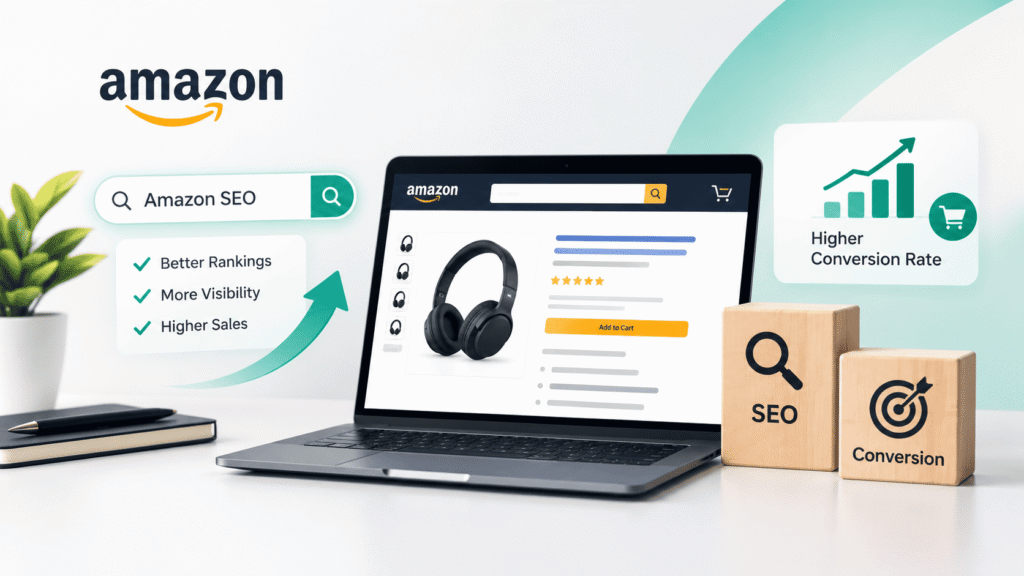
Amazon’s marketplace runs on a simple chain: impressions → clicks → conversions. Your keywords determine where and how often you appear. Your main image, title, price and reviews determine whether anyone clicks. Everything below the click (bullets, A+ content, images, backend terms) decides whether the visitor buys.
A listing that ranks on page one with a weak conversion rate will quickly slide back down, because Amazon interprets falling sales velocity as falling relevance. Optimize for both, continuously, and the algorithm rewards you with cheaper, more durable organic placement.
Write Titles That Rank First, Then Persuade
Your title is your strongest indexing signal and your first sales pitch. The proven structure is:
Brand + primary keyword + product type + key differentiator + size/count
Front-load the exact phrase shoppers search for, for example “stainless steel water bottle”, rather than burying it after a marketing slogan. Keep within Amazon’s category-specific character limits, avoid ALL CAPS shouting, and never keyword-stuff: a title that reads like a word cloud ranks poorly and repels buyers. One precise, benefit-led title outperforms a stuffed one on both rank and click-through.
Turn Bullet Points Into Sales Arguments
Amazon allows five main bullets, and most sellers waste them. Each bullet should open with a benefit, then support it with a feature, while naturally containing a searchable keyword variant:
- ❌ “Made from 18/8 stainless steel”
- ✅ “KEEPS DRINKS ICE COLD FOR 24 HOURS: double-wall 18/8 stainless steel construction with vacuum insulation”
This format does double duty: it satisfies the indexing algorithm and answers the buyer’s real question, what’s in it for me? Keep the most compelling two bullets above the fold, since many shoppers never click “more.”
Use Backend Search Terms Strategically
The backend search terms field is invisible to shoppers but fully indexed. Use it to capture what didn’t fit in your visible copy: regional spellings, synonyms, related use cases, and long-tail phrases. Stay within the byte limit (250 bytes), separate terms with spaces rather than repeating them, and never include brand names you don’t own, competitor ASINs, or words already indexed elsewhere in your listing. Think of it as an appendix, not a second title.
Images and Video: Where Clicks Become Sales
The main image earns the click; the gallery closes the sale. Best practice:
- Main image: product-only on pure white, crisp and zoomable, aiming for 2,000 × 2,000 px minimum to unlock hover-zoom.
- Infographics: label dimensions, materials, and “what’s in the box” so a shopper understands the product in three seconds without reading.
- Lifestyle images: show the product in use with the right target customer.
- Comparison and video: a video lasting 30 to 60 seconds demonstrating use can lift conversion significantly and keeps shoppers on your page instead of returning to search results.
A+ Content: The Conversion Multiplier
If you’re Brand Registered and still publishing plain descriptions, you’re leaving money on the table. A+ (Enhanced Brand Content) modules let you add comparison charts, benefit-driven imagery, and brand storytelling. This format is consistently shown to improve conversion versus text-only descriptions. Premium A+ raises the ceiling further with interactive modules and richer media. Treat A+ as your final objection-handling layer: answer sizing questions, differentiate against your own variants, and reinforce guarantees.
The Factors That Keep Rankings Alive
Listing copy gets you indexed; ongoing performance keeps you ranked. Monitor and manage:
- Click-through rate (CTR): test main images and title hooks against competitors in your niche.
- Price competitiveness: reprice deliberately: a race to the bottom destroys margin, but a 5% gap can cost you the Buy Box and the page.
- Reviews: follow up legitimately through Amazon’s Request a Review program; review velocity heavily influences conversion.
- Search Query Performance: Brand Analytics shows exactly which queries drive impressions, clicks and purchases. Double down on the ones converting, and fix the gaps.
Re-audit every listing quarterly. Markets move, competitors rewrite their copy, and yesterday’s page-one keyword set quietly stops performing.
How LoopLynk Optimizes Listings
At LoopLynk, we treat every listing as a performance asset, not a one-time upload. Our team combines keyword research, conversion-focused copywriting, studio-grade images and A+ design into a single optimization system, then tracks rankings, CTR and conversion monthly so your listings keep compounding. It’s the same end-to-end approach behind our Amazon account management and PPC programs.
Ready to turn page-four listings into page-one sellers? Get in touch with LoopLynk for a free listing audit.
FAQ
How long does it take for a new Amazon listing to rank for target keywords?
Most listings begin indexing within 24 to 48 hours of going live. Meaningful organic ranking for competitive keywords typically takes 4 to 8 weeks of consistent sales velocity, especially when supported by PPC.
How many keywords should I target in one listing?
Focus on one primary keyword and 5 to 10 closely related variants across your title, bullets, backend terms and A+ content. Targeting too many unrelated terms dilutes relevance and confuses the algorithm.
Does A+ Content really affect conversion rates?
Yes. Brand Registered sellers using A+ content typically see higher conversion than identical listings with plain descriptions, because it answers buyer questions visually and reduces purchase hesitation.
Are backend search terms still worth optimizing?
Absolutely. They remain one of the few ways to index for synonyms and long-tail phrases that would clutter your visible copy, as long as you stay within the byte limit and avoid prohibited terms.
Should I optimize old listings or only new ones?
Both. Established listings have ranking history working in their favor, so refreshed copy, images and A+ content often produce faster gains than launching from zero.